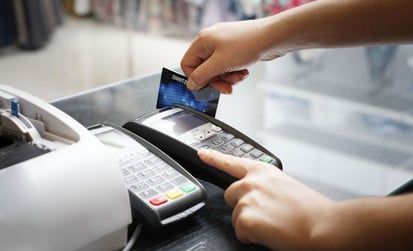
To accept credit card payments, you need a payment processor or all-in-one payments provider, an eligible business bank account for deposits, and payment solutions that match how you sell. That may mean a point of sale system or card reader for in-person transactions, a payment gateway or checkout for online sales, or a virtual terminal, invoice, or Payment Link for remote payments.
This guide explains how each setup works and what to consider before choosing one.
How to accept credit card payments
Start by choosing a payment provider, then choose the hardware and software that fit your sales channels.
A basic setup generally follows four steps:
1. Choose a payment processor or payment provider that supports the ways you plan to accept payments.
2. Connect your business bank account so settled funds can be deposited.
3. Select your payment tools, such as a POS system, card reader, online checkout, Payment Link, or virtual terminal
4. Test your payment flow and review your security responsibilities before accepting live transactions
The tools you need depend primarily on where and how customers pay.
| Sales Channel | Common Setup | Best Suited For |
| In person | POS system, terminal, or card reader | Stores, restaurants, offices, and service counters |
| Mobile | Mobile POS, card reader, or Tap to Pay on iPhone | Field services, events, tableside service, and mobile sellers |
| Online | Payment gateway, hosted checkout, or ecommerce integration | Online stores and service businesses |
| Remote | Virtual terminal, Payment Link, or digital invoice | Phone orders, deposits, invoices, and remote services |
| Reccuring | Recurring billing tools | Memberships, subscriptions, and repeat billing |
In person
A point of sale (POS) system or card reader connects your physical checkout to your payment processor. It combines payment acceptance with the software and hardware needed to manage transactions. Depending on your business, your setup may include a countertop terminal, tablet, card reader, barcode scanner, receipt printer, and cash drawer.
For a fixed checkout area, a Payanywhere Smart POS can bring payment acceptance and business-management functions into one system. Businesses that need more mobility around a store or service area may prefer a Payanywhere Smart Terminal.
Once your hardware is connected to your payment provider and POS software, test the payment methods you expect customers to use, including chip cards, contactless payments, and swiped transactions (when supported).
Online
Online credit card payments require a secure way to collect payment information and route the transaction for authorization.
A payment gateway connects your checkout with the payment-processing system. Depending on your website and provider, you may use an integrated gateway, hosted checkout, payment page, Payment Link, or digital invoice.
Using the same provider for online payment processing and in-person payments can also make transaction data, reporting, and business operations easier to manage across channels.
Businesses without a full ecommerce website have additional options. A Payment Link or digital invoice can direct customers to a secure checkout without requiring you to build a traditional online store.
How to add credit card payments to your website
Choose a checkout method that works with your current website and the way customers buy from you.
Start by deciding whether your site needs an embedded checkout, a hosted payment page, or another method such as a Payment Link. Next, provide the business and banking information your payment provider requires and connect the payment tools to your website.
Test the checkout before launch. Review the experience on desktop and mobile devices, submit test transactions, confirm that approved and declined payments display correctly, and make sure your order or billing system records payment status as expected.
After launch, monitor transaction activity and checkout performance. This can help you identify technical issues, abandoned transactions, or payment trends that may require attention.
Phone or mail
Remote transactions are commonly handled through a virtual terminal or another secure payment-request method.
A virtual terminal is a web-based payment interface that allows authorized staff to manually enter a customer’s card information. It can be useful for phone orders, mail orders, deposits, and other transactions where the cardholder is not physically present.
Manually keyed transactions generally present different risk and pricing considerations from card-present transactions. Limit access to trained employees, follow your provider’s card-handling procedures, and review the PCI DSS responsibilities that apply to your payment environment.
When your workflow allows it, a secure Payment Link can provide another option. Instead of reading full card details over the phone, you can send the customer to a payment page where they enter the information directly.
What are the most common ways to accept credit card payments?
The best payment method depends on where you sell, how customers prefer to pay, and how much payment volume your business handles.
A storefront may benefit from a full POS system, while a mobile service business may need a portable reader or phone-based acceptance. An online seller may prioritize a gateway or hosted checkout, while a service business collecting deposits may prefer invoices, Payment Links, or a virtual terminal.
Traditional point of sale systems
A traditional POS system works well when customers routinely pay at a fixed physical location.
The system reads the customer’s card or receives a contactless payment, then communicates with the payment-processing network to request authorization. Modern POS systems can also connect payment activity with tools for inventory, employee management, customer records, and reporting.
Choosing the right system depends on how complex your operation is. Some businesses need a straightforward terminal, while others benefit from a more complete POS platform that connects payments with daily business operations.
Mobile point of sale systems
Mobile POS tools allow you to accept in-person payments away from a traditional checkout counter.
This can be useful for contractors, mobile service providers, events, tableside restaurant service, or associates assisting customers throughout a store. Mobile payment solutions can pair a compatible phone or tablet with a card reader.
Another option is Tap to Pay on iPhone, which allows eligible businesses to accept supported contactless payments on a compatible iPhone without an additional card reader. Contactless transactions use near-field communication (NFC) to transmit payment information between compatible devices at close range.
Online payment gateways
A payment gateway helps securely transmit payment information between an online checkout and the systems involved in authorization.
After a customer submits card details, the transaction is sent for authorization. The card issuer reviews the request and returns an approval or decline, while payment systems may also evaluate fraud and other risk signals.
A well-designed gateway should support a checkout experience that is easy for customers to complete while connecting reliably with the rest of your ecommerce or billing workflow.
Payment Links and invoicing
Payment Links and digital invoices let you request card payments without building a full ecommerce checkout.
They can work particularly well for service invoices, deposits, remote orders, fundraising, and other situations where a customer receives a payment request and completes the transaction later.
Payment Links can direct customers to an online payment page without requiring a traditional website. Businesses that bill customers after providing products or services can also incorporate billing and invoicing into their payment workflow.
Virtual terminals
A virtual terminal is useful when authorized employees need to enter payment information manually.
Because keyed transactions are card-not-present payments, they can have different processing cost and fraud considerations from transactions completed with the physical card at a POS system.
Use virtual terminals for workflows where manual entry makes operational sense, and consider Payment Links or digital invoices when customers can securely enter their own payment information.
Recurring billing for subscriptions or memberships
Recurring billing supports businesses that charge customers on a regular schedule.
Memberships, subscription services, installment plans, and repeat service arrangements may all benefit from recurring-payment tools. Look for a system that can securely maintain the payment credentials needed for future transactions and manage scheduled charges without requiring staff to re-enter information every billing cycle.
Recurring billing can also reduce administrative work by making predictable, repeat payments part of the normal billing workflow.
Peer-to-peer payment platforms
Peer-to-peer payment apps serve a different purpose from a dedicated merchant-processing setup.
Some payment platforms provide business-payment capabilities, while traditional peer-to-peer transfers are primarily designed for payments between individuals. Businesses evaluating these tools should review fees, business-use policies, reporting capabilities, customer support, and dispute handling, as well as how the platform fits into accounting and reconciliation.
Current IRS guidance explains Form 1099-K reporting requirements for payment cards and third-party settlement organizations. Reporting thresholds can change, and a reporting threshold itself doesn’t determine whether income is taxable, so businesses should review current IRS guidance and consult a tax professional when needed.
For additional context, read our article on using peer-to-peer apps for business payments.
Benefits of accepting credit cards
Credit card acceptance provides customers more ways to complete a purchase while giving businesses access to payment tools that can support daily operations, record-keeping, and security.
The specific benefits depend on your payment setup, but three areas tend to matter most.
Increased sales opportunities
More payment choices can reduce friction between a customer’s decision to buy and the final transaction.
When customers can pay by credit card, debit card, contactless payment, or another supported digital method, they have more flexibility at checkout. That flexibility may help you capture purchases that would otherwise be postponed because the customer doesn’t have enough cash available.
Card acceptance can also help businesses sell across multiple channels. A customer might pay at your counter, through your website, from a digital invoice, or through a Payment Link depending on the situation.
Learn more about how accepting credit card payments can support sales and customer satisfaction.
Increased payment security
Modern payment tools can provide layers of protection through automation that are difficult to reproduce through manual payment processes.
PCI DSS provides baseline technical and operational requirements designed to protect payment account data for organizations involved in payment-card processing. The PCI Security Standards Council recommends that merchants understand how cardholder data moves through their environment and use appropriate security practices and validated payment technologies.
Features such as certified, point-to-point encryption, tokenization, access controls, and updated payment software can help reduce exposure to sensitive card information. Your exact security responsibilities depend on your payment environment, so review them with your payment provider and/or the organizations responsible for your PCI DSS validation requirements.
Improved customer experience
A good payment setup makes it easier for customers to complete a transaction and for your staff to assist them afterward.
Connected payment records can simplify refunds and purchase lookups. POS systems can also support customer records, loyalty programs, receipts, and other tools that make repeat transactions easier to manage.
When payment and inventory management tools work together, staff can also have better visibility into product availability during the sales process.
Credit card processing fees and costs
Credit card processing costs vary by provider, pricing model, business type, and how a transaction is accepted.
Card-present, online, and manually keyed transactions can have different pricing because each payment environment has a different processing and risk profile. Depending on your provider and pricing structure, your total cost can reflect interchange costs, card-network fees, processor pricing, hardware, software plans, and transaction-specific charges.
A flat rate can make costs easy to understand, while other pricing structures may provide different economics as payment volume and transaction mix change. Whatever pricing type you’re considering, make sure you focus on the complete cost of accepting payments rather than comparing a single advertised percentage.
Review fees for every channel you plan to use. A business that accepts most transactions at a counter may have a very different cost profile from one that processes most purchases online or manually enters card information for card-not-present transactions.
Do I need a merchant account to accept credit cards?
Many businesses use a merchant account to accept card payments, while others use an aggregated payment service provider that places multiple businesses under a broader processing relationship. The right approach depends on your size, transaction volume, business model, pricing priorities, and support requirements.
A merchant account is a specialized account used as part of the process of receiving and settling the funds from card and debit card transactions. Your payment provider coordinates the movement of approved transaction funds before they are deposited into your business bank account.
The two common approaches have different approaches
| Option | Typical Characteristics |
| Traditional Merchant Account | Individual underwriting, provider-specific pricing, broader customization potential, and support suited to the merchant relationship |
| Aggregated Payment Provider | Streamlined enrollment, standardized tools, flat rate pricing in many cases, and a shared processing structure |
Aggregated providers can be convenient for businesses that prioritize fast enrollment and straightforward payment acceptance. Merchant-account relationships can make more sense for businesses that need additional pricing flexibility, support, hardware options, integrations, or accommodation for a more complex processing profile.
Funding schedules, risk policies, account requirements, and support levels vary by provider. Compare those factors alongside pricing considerations before choosing your payment partner.
For a deeper explanation, see our complete guide to merchant account services.
What to look for in a website payment system
A strong website payment system should fit your checkout experience today while leaving room for future growth.
Start with the payment methods customers need. Then evaluate how the checkout integrates with your site, what security tools are available, how fees are structured, and how easily payment data can connect with the rest of your operation.
Consider the customer experience as well. A payment flow should work cleanly across desktop and mobile devices and make the next step clear after an approval or decline.
Finally, review operational capabilities such as reporting, refunds, invoicing, recurring payments, and integration options. The goal is to select an online payment system that supports the way your business works rather than forcing you to build processes around the payment tool.
Common mistakes to avoid when accepting credit card payments
A stronger payment setup comes from evaluating the complete workflow instead of focusing on one feature.
Compare the complete cost of acceptance. Look beyond the headline transaction rate and review software charges, hardware, keyed-entry pricing, online pricing, dispute costs, and other fees that could affect your business.
Keep sales channels connected whenever possible. Use compatible systems for online and in-person transactions to simplify reporting, customer records, inventory, and reconciliation.
Make payment security an ongoing process. Review access controls, software updates, staff procedures, and your PCI DSS responsibilities as your payment environment changes.
Plan for disputes and chargebacks. Clear receipts, accurate product descriptions, easy-to-understand billing descriptors, and organized transaction records can help your team respond more effectively when a customer questions a charge.
Limit unnecessary exposure to card information. Hosted checkout pages, Payment Links, and provider-managed payment tools can reduce the amount of sensitive payment information your staff and systems need to handle directly.
Frequently asked questions
What is the best way to accept credit card payments for a small business?
The best method is the one that matches where and how your customers pay. A physical store may need a POS system, a field-service business may prefer mobile payments, and a remote-service business may rely on invoices, Payment Links, and/or a virtual terminal.
Businesses that sell through several channels can benefit from using a provider that connects those payment methods within the same broader system.
How much does it cost to accept credit card payments?
Costs vary based on your payment provider, pricing model, transaction type, sales channel, and business profile. Card-present transactions, online payments, keyed transactions, and invoices may each have different rates. That’s why it makes sense to compare the effective cost across the types of transactions your business actually processes instead of judging a provider by one rate.
Do I need a merchant account to accept credit card payments?
You need a payment-processing relationship that can accept and settle card transactions, but that relationship doesn’t always take the form of an individually underwritten merchant account. Aggregated payment providers offer another model for some businesses.
The better choice depends on your processing volume, business type, pricing needs, risk profile, and support expectations.
How can I accept card payments on my phone?
You can accept eligible in-person card payments through a compatible mobile card reader or a supported phone-based payment option such as Tap to Pay on iPhone.
The right setup depends on your device, payment provider, and the types of cards and contactless payments you need to accept.
How do I set up payments on a website?
Choose a payment provider, select a gateway or checkout option, connect the solution to your website, add your business and payout information, and test the complete transaction flow before launch.
A hosted checkout or Payment Link can provide an alternative when you want to limit development work.
Can a business owner accept credit card payments without a website?
Yes. You can accept payments in person through a POS system or card reader and remotely through tools such as a virtual terminal, Payment Link, or digital invoice.
A full ecommerce website is only one way to accept card payments.
The right credit card payment setup depends on where you sell, the transactions you process, the payment experience your customers expect, and the level of operational support your business needs.
North is a leading financial technology company that builds innovative, frictionless end-to-end payment solutions designed to simplify and grow businesses of all sizes. From the front door, to the back office, the developer world, and partnerships that expand the payments landscape, North offers proactive, comprehensive merchant services, in-house processing, and more.